
Introduction: What is Mage.space?
AI image and video generators have become surprisingly common. So much so that writers use them to visualize characters, artists use them to explore new styles, and enthusiasts use them to give life to (actualize) their ideas and imaginations. And with tools like Mage.space, digital art generation has never been more accessible.
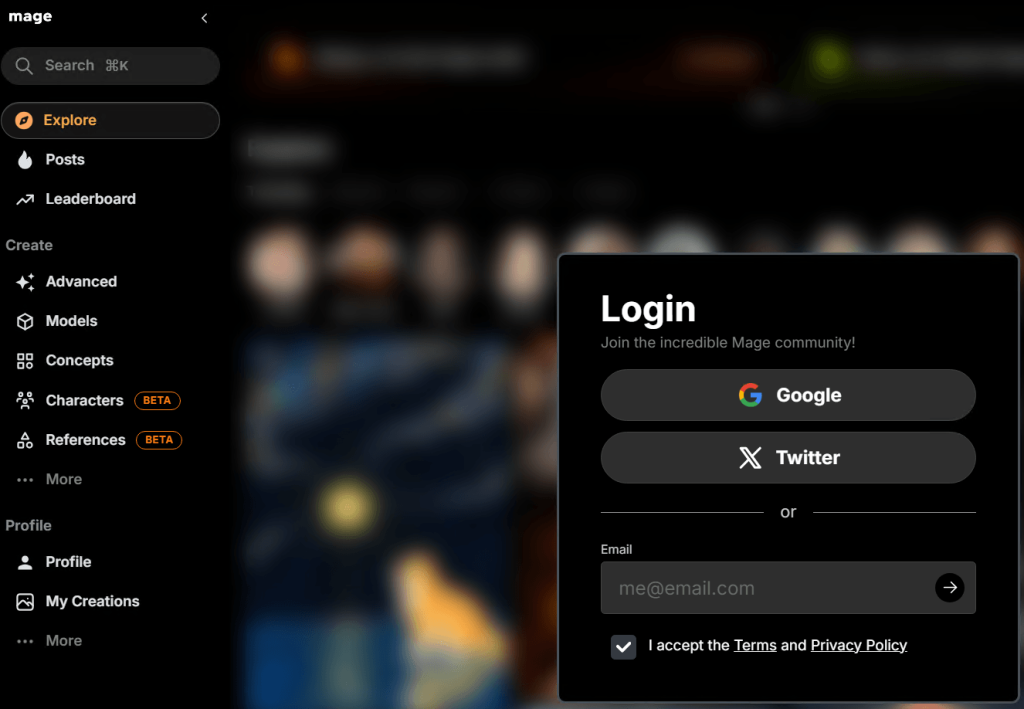
Mage.space is a browser-based AI generator that turns written prompts into visual artwork (i.e., users can simply write a prompt that describes a character, a scene, or even an entire fantasy world in a few words and watch the tool turn that idea into an image or video within seconds). The tool also gives creators access to multiple AI models and generation settings, which means one idea can be interpreted in different visual styles depending on the selected model.
Accessibility and creative flexibility are one thing, but what makes Mage.space worth a closer look is how well it generates stylized artwork (i.e., from anime characters to uncensored art to hentai-style images).
Quick Overview of Mage.space
At a glance, Mage.space is an online AI art generator that runs entirely in a web browser, so there is no need to download software or set up sophisticated AI models locally. Everything happens on the website itself.
Images are generated based on prompts; therefore, the prompt determines how vivid the results will be. However, results can also vary depending on the model and settings used. And for users on higher mage membership plans, text-to-video and image-to-video features are accessible.
What makes Mage.space stand out is its range of AI models, because there are multiple diffusion models designed for different visual styles. Some models are ideal for realism, while others are exclusively for anime-style art and fantasy illustrations and characters.
Ultimately, Mage.space is a well-rounded AI generator images and videos.
Why Mage.space Is Popular for Anime-Style and Uncensored Art
Many AI generators focus mainly on safe, commercial-friendly content. Mage.space, however, allows users to explore a much wider range of visual styles and themes (e.g., anime characters, fantasy worlds, or mature artistic themes).
Several models on Mage.space understand common anime elements such as expressive facial features, stylized hair, dramatic lighting, and detailed costumes. And as a result, prompts that suggest/describe anime themes often produce results that are polished and visually consistent.
Another factor that attracts users is how easy it is to experiment with prompts. Instead of forcing creators into strict templates, the tool allows more natural descriptions (prompts), and it produces multiple variations of that idea within seconds.
Moreover, Mage.space has a reputation for being less restrictive than many other AI generators when it comes to content filtering. Although it still blocks illegal or harmful content, creators find it easier to create niche-specific or uncensored artwork here.
There is also a practical reason for its popularity: speed and accessibility. Because it runs entirely online, someone with a regular laptop or even a tablet can equally open the website, write a prompt, and begin generating artwork almost instantly.
And it goes without saying that the results are appealing.
AI Models Available for Anime and Hentai-Style Images
There are diverse AI models to select from on Mage.space; some models are trained for a specific visual style and some for general purposes. However, for the anime and hentai-style, the tool offers several models that understand the visual language of anime and interpret prompts in slightly different artistic ways.
Although many of these models are built on or inspired by Stable Diffusion (i.e., one of the most widely used frameworks for AI image generation), Mage.space uses models such as SD 1.5, SDXL, Flux, Flux 2, and other advanced variants that produce highly detailed character illustrations when paired with well-written prompts. These models are known to generate strong or dramatic facial expressions, elaborate clothing, vibrant color palettes, and feature elements that are commonly seen in manga and anime-inspired artwork.
Moreover, there is also a concept system that works in conjunction with the base models. Concepts act as style guides that influence how the AI interprets prompts.
With a combination of flexible models and style concepts, Mage.space easily generates anime-style and hentai-inspired visuals for character design or fantasy/adult scenes.
Key Features for Generating Anime Characters
Mage.space focuses on a few core features that make anime character creation a lot easier and customizable, and also help shape the final result more precisely.
- Prompt-Based Image Generation
Mage.space relies heavily on prompts. So, its prompt-based image generator produces images based on the description of that character, scene, or idea.
In this case, however, a typical prompt for an anime character might include details such as hair color, clothing, facial expression, pose, background setting, or lighting.
- Model Selection
Mage.space allows users to generate images using several AI models built on or inspired by Stable Diffusion. So, users get to switch between the AI models to see which one captures their vision best. However, since each model interprets prompts differently, a single prompt can produce different results depending on the model you choose.
- Concept System
The concept system also supports anime character creation. Concepts act as style presets that influence how the AI interprets prompts.
When combined with a base model, a concept can guide the image generator toward particular artistic directions.
- Adjustable Settings
The settings control the level of detail (e.g., generation steps, prompt strength, and image size), how closely the AI follows the prompt, and the overall style of the image.
- Image Refinement and Editing Feature
These tools make it easier to improve character details or correct small issues in the output. The inpainting, image refinement, and enhancement, and the Hi-resolution features work hand-in-hand to improve the final result.
The negative prompts feature helps to remove unwanted elements from the final image.
For example, a user generating an anime portrait might include a negative prompt such as “blurry, distorted hands, extra limbs, low quality.” This helps the AI steer away from common generation issues and produce a cleaner image.
Image-to-Image Editing
Instead of starting from scratch, users can equally upload an existing image into Mage.space to transform it into a polished anime-style illustration.
Together, these features make Mage.space a flexible environment for generating anime characters.
Example Prompt Structures for Anime-Style Characters
The depth of an image that is generated on Mage.space often depends on how clearly the prompt describes the character. Mainly because AI image models generally respond best when prompts are organized in a simple and structured way.
A good prompt structure should be broken into visual layers just like this so that the AI can interpret each element more clearly:
Subject → Appearance → Clothing → Pose → Environment → Style → Lighting/Quality
Basic Anime Character Prompt
A simple prompt can produce surprisingly good results if it clearly describes the character and setting.
For example, “anime girl, long silver hair, blue eyes, futuristic jacket, standing pose, neon-lit city street, night lighting, detailed anime illustration” clearly describes the character type, the physical appearance, the outfit, and the pose of the subject, as well as the environment and art style for a more coherent image.
Fantasy Anime Character Prompt
Fantasy-themed creators usually add more visual and environmental details to help the AI build a richer scene.
For instance, “anime warrior princess, long red hair, glowing sword, ornate armor, standing on a cliff overlooking a fantasy kingdom, dramatic sky, cinematic anime art style.”
Adding elements such as dramatic sky, cinematic lighting, or fantasy landscapes gives the AI tool some insight into context.
Character Portrait Prompt
If your goal (as a user) is a portrait (i.e., images where the character’s face is the centre of attention), then the prompt can focus more on facial features and expression, mood, and lighting.
An example is “anime character portrait, short black hair, green eyes, calm expression, soft lighting, detailed anime illustration, clean background.”
Using Negative Prompts
Instead of only describing what should appear in the image, users can also tell the AI what to avoid.
A typical negative prompt should look like this: “blurry, extra fingers, distorted face, low quality, poorly drawn hands”.
This helps reduce common image generation issues and often leads to cleaner, more consistent results.
Why Prompt Structure Matters
It is imperative to know that AI models interpret prompts quite literally. And that clear descriptions will produce better images than vague ones. Therefore, a good prompt will help produce the characters just like you envisioned them.
Pros of Using Mage.space
Mage.space continues to attract a strong user base for several practical reasons that both beginners and experienced creators find enthralling.
- Easy to Start Using
One of the biggest advantages of Mage.space is how quickly new users can begin creating images (i.e., a user simply creates an account, enters a prompt, and starts generating images). This simplicity lowers the barrier to entry.
- Access to Multiple AI Models
Instead of relying on a single generator like most tools do, users can try out a variety of models. And because each model processes prompts slightly differently, creators can run the same prompt across several models until they find the one that matches their creative intent the most.
- Strong Anime and Character Art Capabilities
Mage.space has become particularly popular among users who enjoy generating anime-style characters. Because, with the right prompt structure and model, the tool produces better anime-style results that are superior to AI art tools of its caliber.
- Prompt Transparency and Learning Opportunities
The explore section of Mage.space allows users to see images created by other people along with the prompts that generated them. Thereby showing them how to structure their own prompts better.
- Creative Freedom Compared With Other Tools
Unlike most AI art tools that apply very strict filters that limit the type of content users can generate, Mage.space offers more flexibility and creative freedom that extends to a wider range of artistic styles and uncensored themes.
Limitations and Things to Know
While Mage.space offers a lot of flexibility and creative freedom, like most AI image generators, it comes with a few limitations. Nevertheless, knowing these limitations can help you set realistic expectations for the tool.
- Image Quality Can Vary
Just as it is with all diffusion-based generators, the quality of the results can vary from one generation to another. And, by implication, users might have to generate multiple versions of the same prompt until they are satisfied.
- Anatomy and Hands Can Still Be Imperfect
Mage.space can occasionally struggle with complex details such as hands, fingers, and body proportions, as all generative AI tools do. Although a negative prompt easily mitigates this.
- Learning Prompts Take Practice
New users may need time to learn how to describe characters, scenes, and styles properly. Fortunately, the tool’s explore section bypasses this limitation.
- Generation Speed and Usage Limits Depend on the Plan
The generation speed, accessible features, and usage limits vary depending on which mage membership plan you subscribed to.
The free tiers may experience slower generation times and limited compute resources compared to the Pro Plus plan.
- AI Still Has Creative Limits
Regardless of how significantly AI generative tools have improved over the years, they still cannot perfectly interpret every creative idea or comprehend every intent the user has.
Mage.space vs Other Hentai AI Generators
There are several AI image generators in this space, many of which focus on anime-style or NSFW visual content. Mage.space, however, approaches hentai art a little differently.
Accessibility Compared to Local AI Setups
Mage.space is accessible to almost anyone since it runs in a browser. More so, users can start generating images immediately after signing up with any mobile device (e.g., smartphones, tablets, or a laptop).
Model Variety vs Single-Model Tools
Some AI generators are limited to only one or two models for image generation, but not Mage.space. There are multiple models and different styles to choose from, depending on the user’s intent.
Prompt Flexibility
Many adult image generators rely on preset templates, whereby users must select options from a menu. True, this makes the process simple, but it also limits creativity.
Mage.space, however, is exempt from this limitation.
Community and Prompt Discovery
Mage.space features a unique explore section where users view images generated by other users, as well as the prompts used.
The practical difference
Considering both strengths and limitations, it is safe to say that Mage.space is just as remarkable, flexible, and accessible as any top-notch AI anime tool.
Who Should Use Mage.space?
Mage.space is useful for a fairly wide range of audiences.
Users Who Want a Simple AI Generator
Mage.space is suitable for people who want a simple AI art generator. The tool runs in a browser and it does not require installation; moreover, the interface is easy to understand.
Anime and Character Art Enthusiast
Users who enjoy anime-style artwork and character design, writers, illustrators, and hobbyists who like creating fictional characters often use tools like this to visualize ideas for stories, comics, or personal projects.
Artists Looking for Inspiration
Traditional artists are not left out. They can also explore different variations of a concept (e.g., clothing, pose, or colour) using Mage.space, before creating their own hand-drawn artwork.
Who It May Not Be Ideal For
Mage.space may not sate users who need high-resolution outputs, complex animation tools, or control over every visual detail.
Final Verdict
Ultimately, what Mage.space offers is a practical and accessible way to make digital artwork, particularly for anime-style characters and uncensored art. Its browser-based setup, multiple AI models, and useful editing tools make it easy for beginners to start while also giving experienced users room to explore.
More so, the tool provides enough flexibility and creative freedom that makes the overall experience worthwhile.